2026 How to Convert Files into XLIFF Format Easily?
In today’s fast-paced digital landscape, converting files into XLIFF format has never been more essential. As translation and localization processes evolve, so does the need for efficient file conversion methods. Industry expert Dr. Emily Chen once stated, “Using the XLIFF format streamlines workflows and enhances collaboration.” This highlights the importance of embracing standardized formats like XLIFF.
However, the process of conversion can sometimes feel daunting. Many users encounter challenges with software compatibility and formatting nuances. The XLIFF format, while powerful, requires understanding its specific structure. Without this knowledge, users may end up with files that fail to meet their needs.
Therefore, finding user-friendly methods for this conversion is vital. Many tools offer scope for file transformation into XLIFF, yet not all deliver satisfactory results. Users often report frustrations when encountering limitations in functionality. With the right approach, converting to the XLIFF format can be an achievable goal, making translation projects more manageable. The journey might present obstacles, but the rewards are significant.

Understanding XLIFF Format and Its Importance
The XLIFF format, or XML Localization Interchange File Format, serves a crucial role in the world of translation.
It enables the seamless sharing of localization data between various software tools.
Translators often face difficulties with inconsistent file formats, which can slow down their workflow.
XLIFF standardizes this process, making it easier to manage translations efficiently.
This format helps preserve text, context, and even layout.
While the benefits are clear, some challenges remain. Not every file conversion will go smoothly.
There can be issues with encoding or loss of certain formatting elements.
This can lead to frustration. Sometimes, translators may find that essential contextual hints are missing in the conversion.
It is important to review the converted files meticulously.
Understanding the XLIFF format allows for better collaboration among teams.
It bridges the gap between developers and translators. Ensuring everyone is on the same page can maximize productivity.
Still, there is room for improvement. Overcoming the limitations of existing tools is essential.
Embracing the XLIFF format opens doors but requires dedication and effort.
Common File Formats and Their Conversion Challenges
When converting files to XLIFF format, understanding common file types is essential. Many people struggle with this task. Documents like DOCX, HTML, and JSON each present unique challenges. DOCX files can include complex formatting. Converting them may lead to loss of layout.
HTML files often contain embedded scripts that disrupt conversion. They are tricky to handle in a straightforward process.
JSON files, while structured, can become problematic. They may mix data types that are not easily translatable into XLIFF. Incomplete or poorly structured JSON could lead to errors during conversion. Users are often frustrated when the output file doesn’t match their expectations.
Simple steps can help, but some conversions still result in messy outputs. It’s crucial to test a few times before finalizing any conversion. Each file type requires a tailored approach, and users must remain vigilant for possible discrepancies.
Step-by-Step Guide to Convert Files to XLIFF
Converting files to XLIFF format may seem daunting. However, with a straightforward approach, you can do it easily. XLIFF stands for XML Localization Interchange File Format. It serves as a bridge between different software tools in localization projects. Understanding its structure is key to effective conversion.
Begin by preparing your source file. Ensure it's a standard format like DOCX or HTML. These formats are easier to manipulate. Open your file in a text editor or a specialized conversion tool. Identify segments of text that need translation. It’s crucial to separate translatable content from non-translatable elements like code.
Next, create an XLIFF template. This often involves manually mapping your texts into the XLIFF structure. Pay attention to details such as tags and attributes. Mistakes here can lead to errors later. If you encounter issues, reflect on your process. Maybe you overlooked a critical segment. Finally, validate your XLIFF file using a validator tool. This step ensures everything is in order before sharing it with your translation team.
2026 How to Convert Files into XLIFF Format Easily? - Step-by-Step Guide to Convert Files to XLIFF
| File Format |
Conversion Tool |
Conversion Steps |
Estimated Time (minutes) |
| Word Document (.docx) |
Online Converter |
Upload file, select XLIFF as output format, convert |
5 |
| Excel Spreadsheet (.xlsx) |
Desktop Software |
Open file, choose export option, select XLIFF |
10 |
| HTML File (.html) |
Command Line Tool |
Run conversion command, specify output as XLIFF |
15 |
| Plain Text (.txt) |
Web Application |
Paste text, select XLIFF format, click convert |
3 |
| PDF Document (.pdf) |
Conversion Software |
Import PDF, select export format, convert to XLIFF |
20 |
Tools and Software for XLIFF Conversion
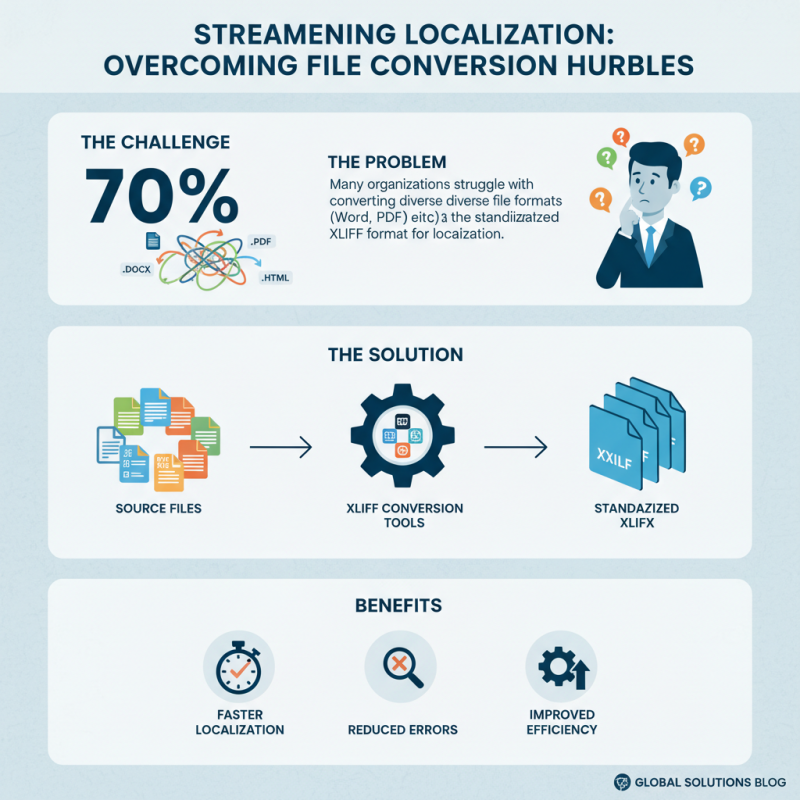
Converting files into XLIFF format can be daunting. However, several tools simplify this process. Many companies rely on these tools to streamline localization. A recent industry report indicates that 70% of organizations face challenges in file conversion. That’s a significant hurdle.
One popular tool for XLIFF conversion is software that supports various file formats. It allows users to easily import documents. The tool extracts content and saves it in XLIFF format. For best results, ensure that your source files are well-structured. Poorly formatted files can lead to errors during conversion.
Tips: Always preview converted files. Sometimes, essential data may get lost. Check the output thoroughly. Frequent testing can catch mistakes.
Another option includes cloud-based software. These tools offer flexibility since they can be accessed from anywhere. They often feature user-friendly interfaces. However, security can be a concern when uploading sensitive documents. Assess the security measures in place before using cloud-based options.
Tips: Keep backups of original files. In case of issues, you’ll have a safe version to revert to. This practice can save time and effort in troubleshooting conversion errors.
Best Practices for Working with XLIFF Files
When working with XLIFF files, following best practices is crucial for efficiency. XLIFF stands for XML Localization Interchange File Format. It is widely used for document translation. Understanding its structure can simplify your workflow.
One tip is to keep source text and translation text organized. Use clear tags for different sections. This minimizes confusion. Another suggestion is to validate your XLIFF files regularly. Errors can lead to translation mistakes. A simple tool can help you check for inconsistencies.
Manage your file versions carefully. Save backups often to avoid data loss. Consider setting up a naming convention for different project stages. This approach may help maintain clarity. Lastly, always communicate with your team. This will ensure that everyone is on the same page about the project.